
You can connect your StorkPlus store to any AI tool, like ChatGPT or Claude, with one MCP link, and run ready-made n8n automations that post to Facebook and Instagram for you. No code. Both are part of the Galaxy plan.
- MCP is the standard AI tools use to talk to other systems.
- Every StorkPlus store has its own MCP link with 15 tools, from product search to checkout.
- The ready-made n8n automations write the post, design the image, and publish to Facebook and Instagram.
- Both features are on the Galaxy plan, with no commission on sales.
Part 1: Connect your store to any AI tool (3 steps)
MCP is an open standard that tools like ChatGPT and Claude use to reach other systems. Once your store is connected, the assistant can search your products and place a full order.
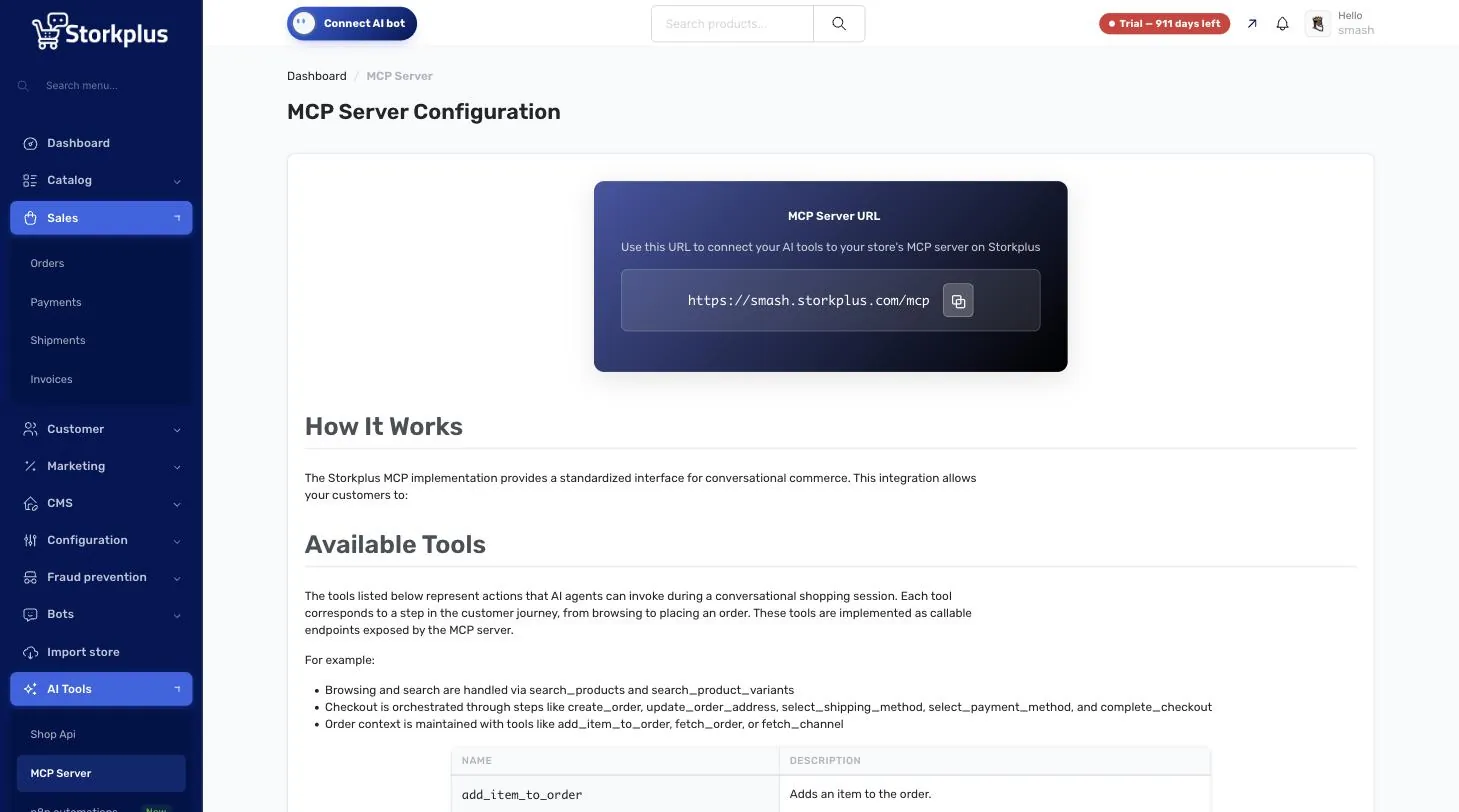
- In your dashboard, open AI Tools → MCP Server.
- Copy your store’s MCP link. It looks like this: https://your-store.storkplus.com/mcp
- In your AI tool, add the link as an MCP Server or Connector.
What can the AI do in your store?
- Search products by name, size or color.
- Create an order: add products to the cart and save the customer’s address.
- Check out: pick shipping and payment and place the order.
- Look up orders: get the details of any order.
That’s 15 ready-made tools covering the whole journey, from search to order confirmation.
Part 2: Turn on a ready-made n8n automation (3 steps)
- In your dashboard, open AI Tools → n8n automations.
- Pick an automation and click Set it up.
- Fill in the details (brand, audience, tone, schedule) and switch it on.
Ready-made automations:
- Facebook auto-posting: writes a post about your business, designs an image, and publishes both to your Page.
- Instagram auto-posting: writes the caption, designs the image, and publishes it to the Instagram account linked to your Page.
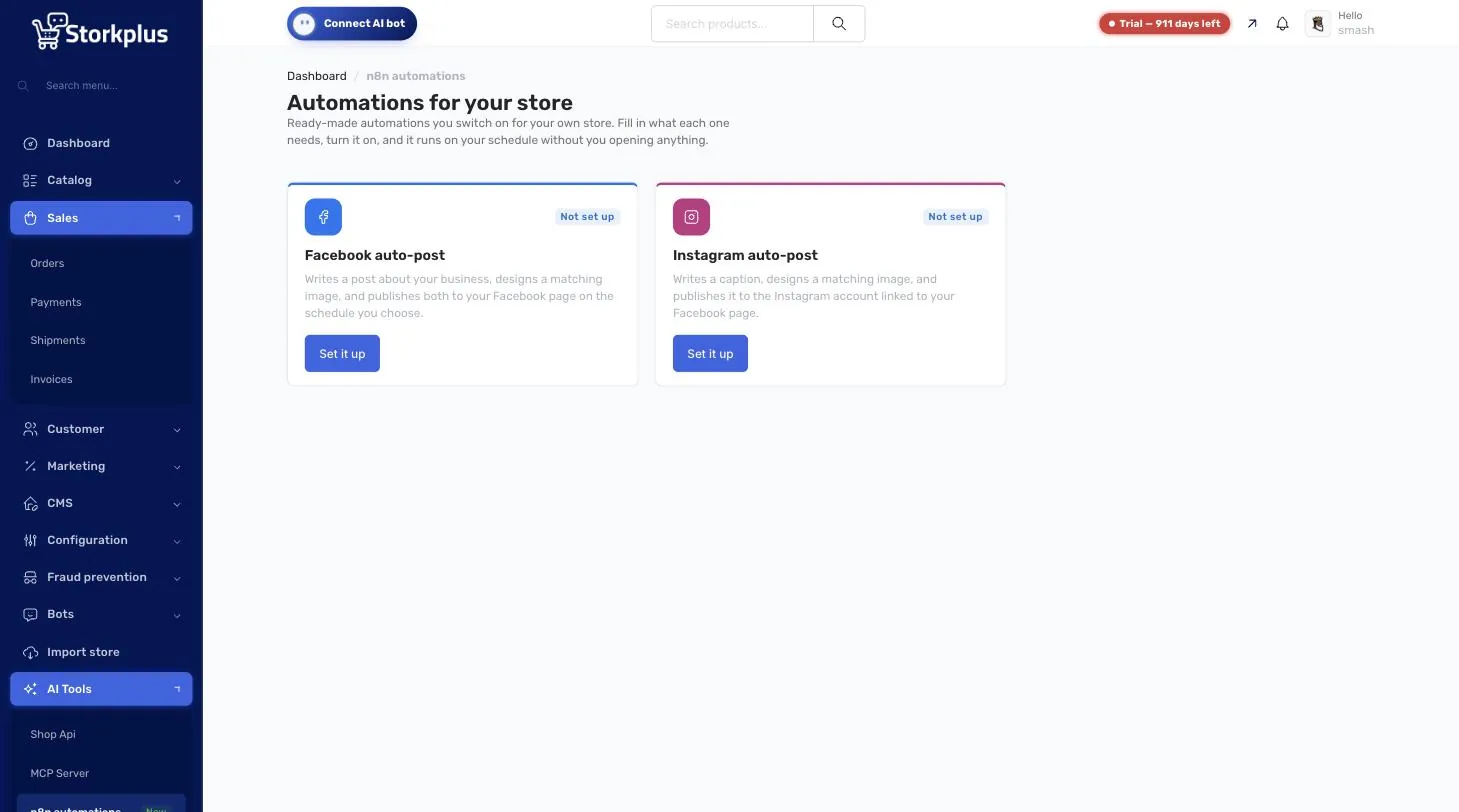
Running your own n8n? Use the same MCP link inside any workflow with the MCP Client node and build what you need: reports, or links to other systems.
What you need to start
- A StorkPlus store on the Galaxy plan.
- An AI tool that supports MCP (such as ChatGPT or Claude).
- A connected Facebook Page and Instagram account, if you want auto-posting.
See the plans or open your store for free and upgrade when you need it.
FAQ
What is MCP?
MCP (Model Context Protocol) is an open standard that lets AI tools like ChatGPT and Claude talk to other systems. On StorkPlus it lets the assistant search your products and place orders.
Do I need to code to connect my store to ChatGPT?
No. Copy the MCP link from your dashboard and add it to your AI tool as a connector.
Which plan includes MCP and n8n automations?
The Galaxy and Enterprise plans.