

A store’s look affects sales. A grocer, a fashion brand and a car-parts shop need different storefronts. That’s why StorkPlus now has 8 ready-made themes, each built for a kind of business, and you can switch between them in one click without touching your products or orders.
- 8 ready themes: Grocery, Rack, Activewear, Skateboard, Accessories, CarParts, Velo and Classic.
- All of them work in Arabic and English and are built for mobile.
- Every theme has a live demo store you can try before choosing.
- Available on every plan, including the free one.
- Switch from: Admin → Channels → Theme.
How to pick the right theme
Start from what you sell and how your customers buy. Frequent, repeat purchases? Pick a theme with strong search and clear categories. Customers buy a look or a standout piece? Pick an image-led theme. A small collection? A single striking page can beat a long store.
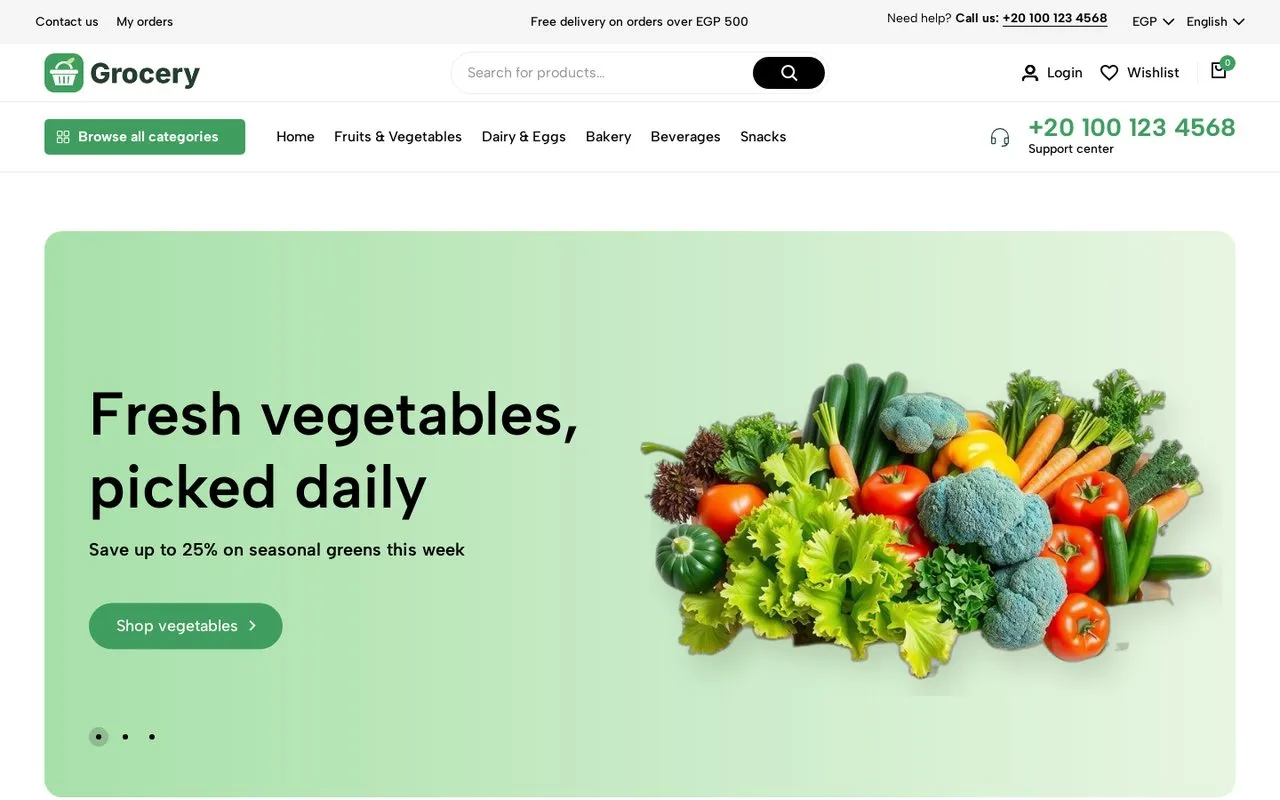
1. Grocery
Best for: Supermarkets, grocers, fresh produce, pharmacies or any store with many categories and repeat purchases.
- Top bar with your support number and a “Browse all categories” menu with category photos.
- A big search bar in the header so customers find products fast.
- “Deals of the day” with a countdown and an available/sold stock bar.
- “Popular products” with category tabs and a one-click green cart button on every card.
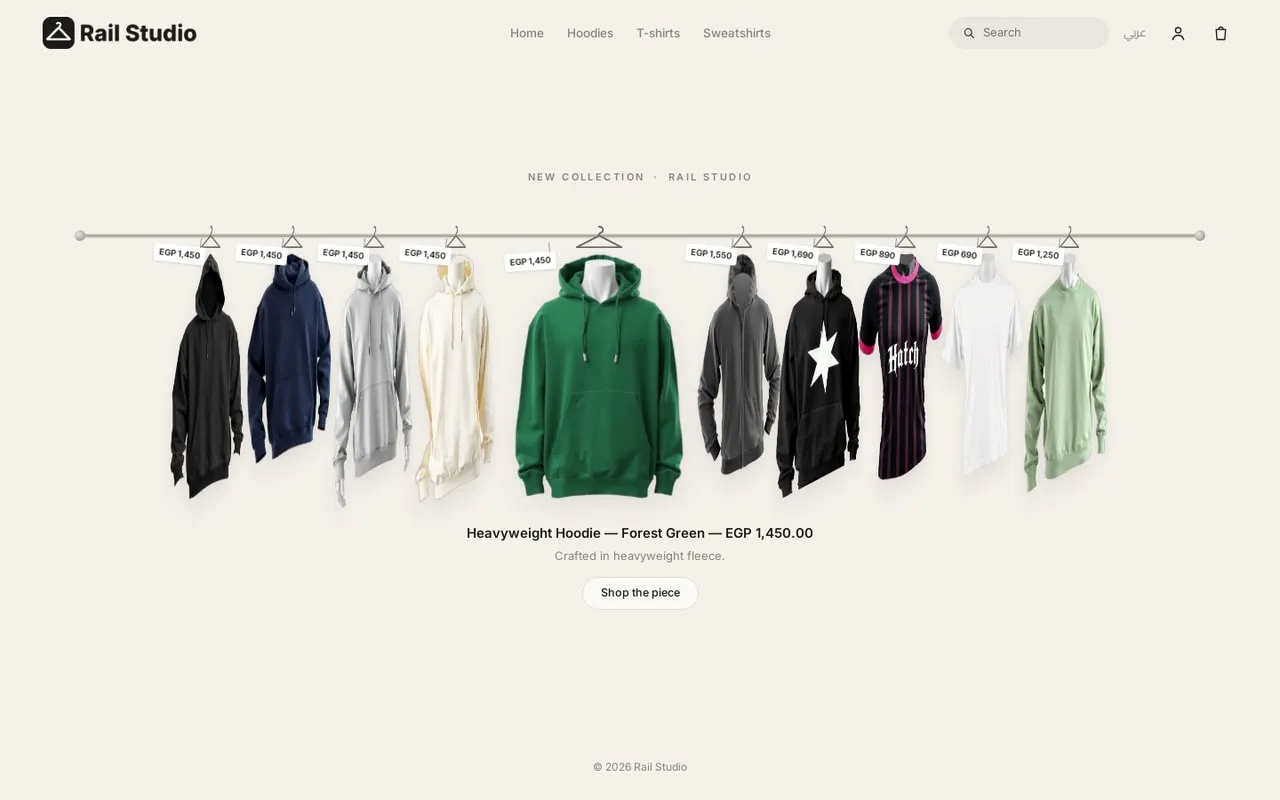
2. Rack
Best for: Clothing brands with a small collection or a new drop that want a one-page store customers remember.
- Pieces hang on a real-looking rail and turn to face the shopper on hover.
- Clicking a piece opens a panel with sizes and add to cart, without leaving the page.
- It picks up your newest products with photos automatically.
3. Activewear
Best for: Sportswear, yoga, gym or any fashion brand that wants to sell the whole look, not one piece at a time.
- Scrolling announcement bar and a big campaign hero.
- “Deal spotlight” with a countdown for your sales.
- “Shop the look”: one photo with hotspots linking to every piece in it, each with an add-to-cart button.
- “Trending now” with category tabs, and reviews shown next to the product they’re about.
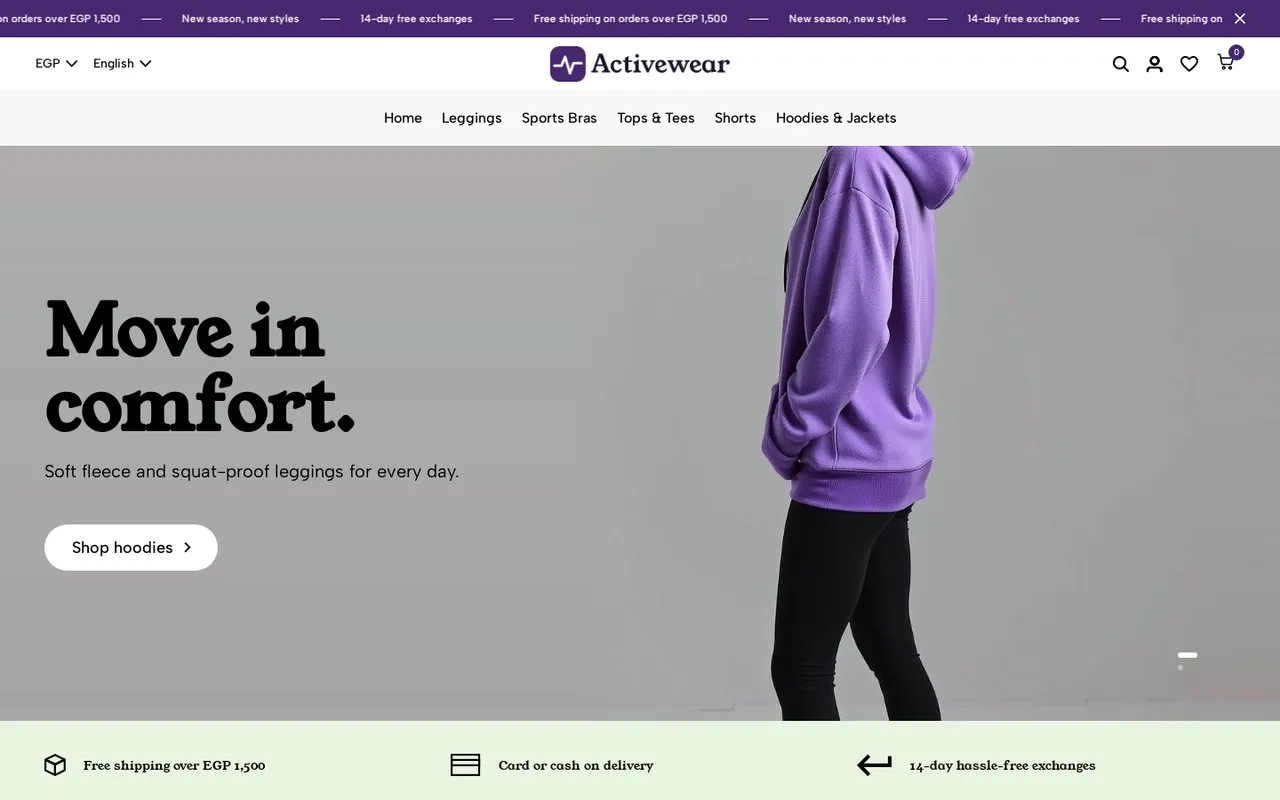
Open the Activewear demo store →
4. Skateboard
Best for: Hobby, sports-gear or streetwear stores: skate, bikes, camping, anything that wants a bold, youthful look.
- Transparent header over a big hero that shows a product and its price.
- A giant scrolling text strip for your messages (free delivery, free assembly…).
- Category cards with item counts, and a product row per category.
- Customer reviews that open the reviewed product when clicked.
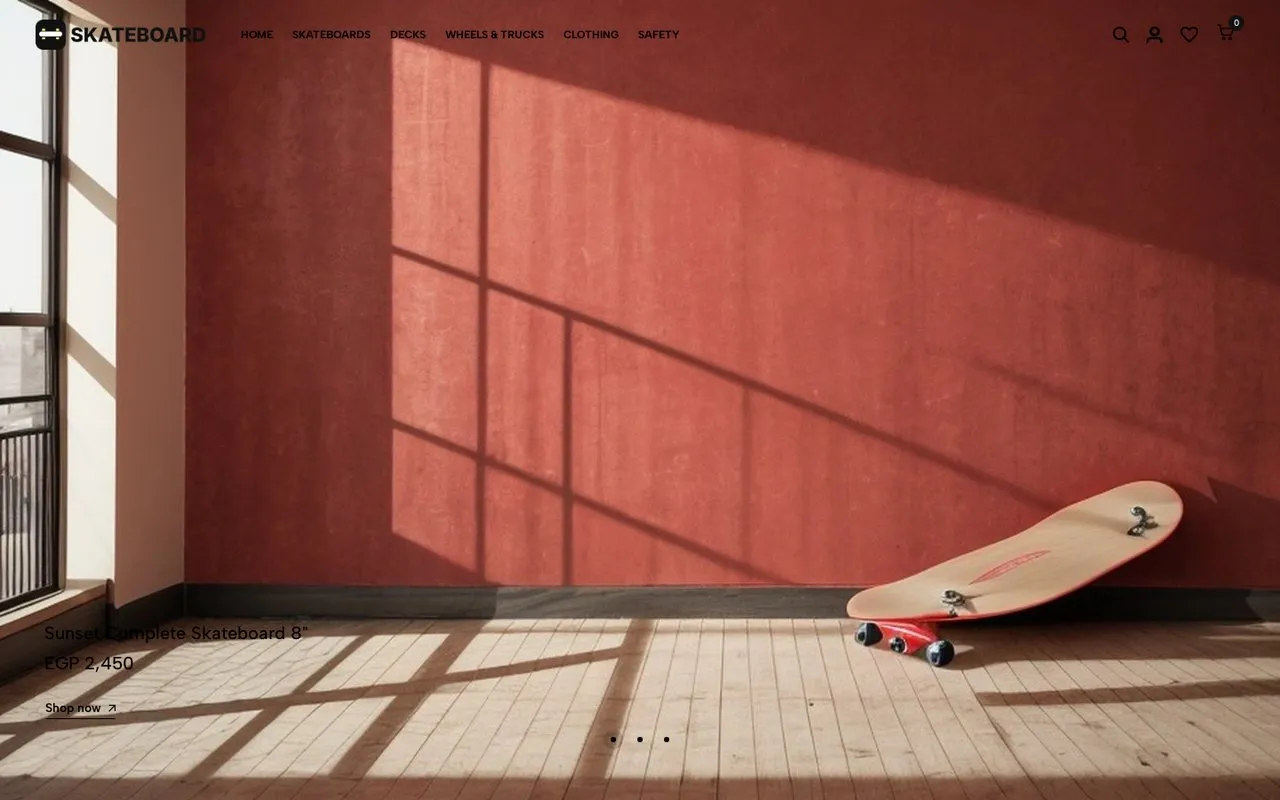
Open the Skateboard demo store →
5. Accessories
Best for: Accessories, jewellery, perfume, watches, or phone and electronics accessories that need an elegant showcase.
- A centred slider with large photos of your key categories.
- “Hot deals” with a countdown, and “Best sellers” from your real orders.
- Quick add to cart from the product card, with a popup to pick colour or size when needed.
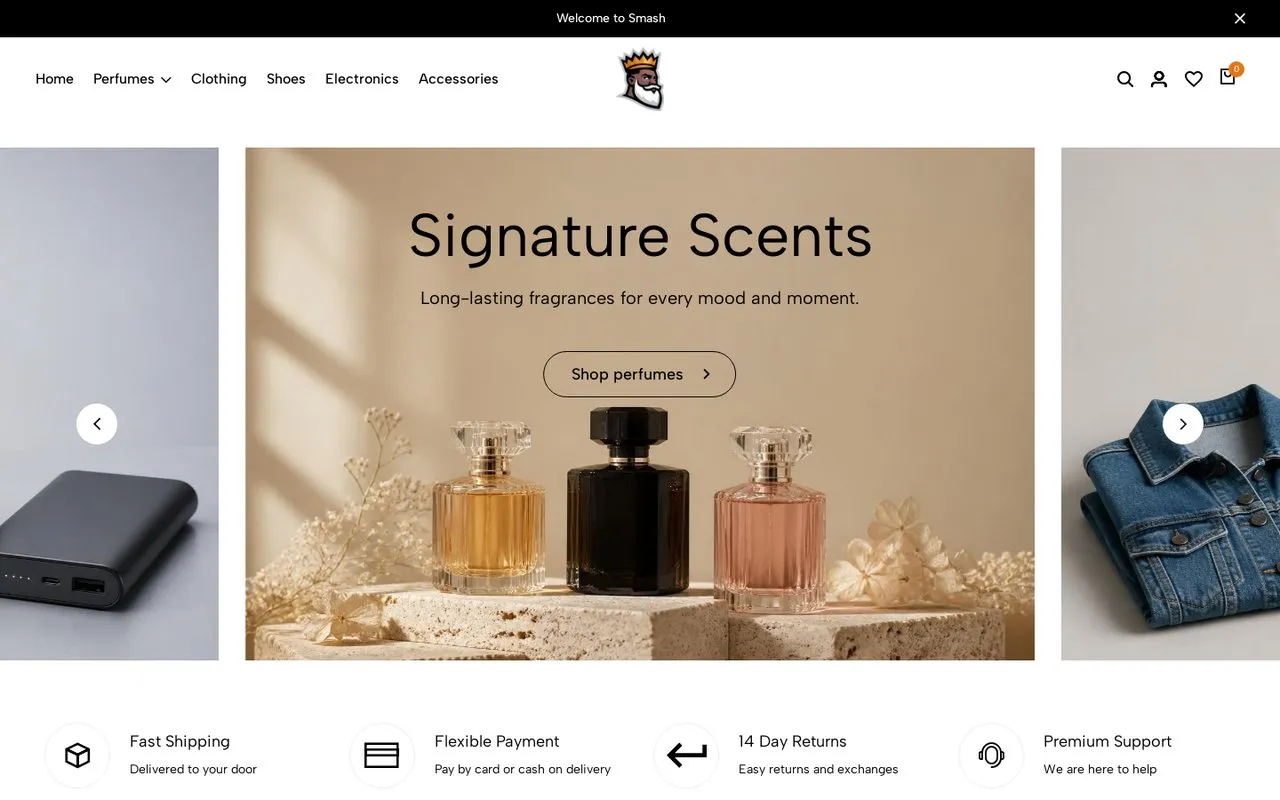
Open the Accessories demo store →
6. CarParts
Best for: Car parts, tools, or any very large catalogue where customers search by part number or model.
- Search up front so customers type a part number or name straight away.
- A large menu that handles hundreds of sub-categories.
- Built for huge catalogues: the demo store runs a very large one.
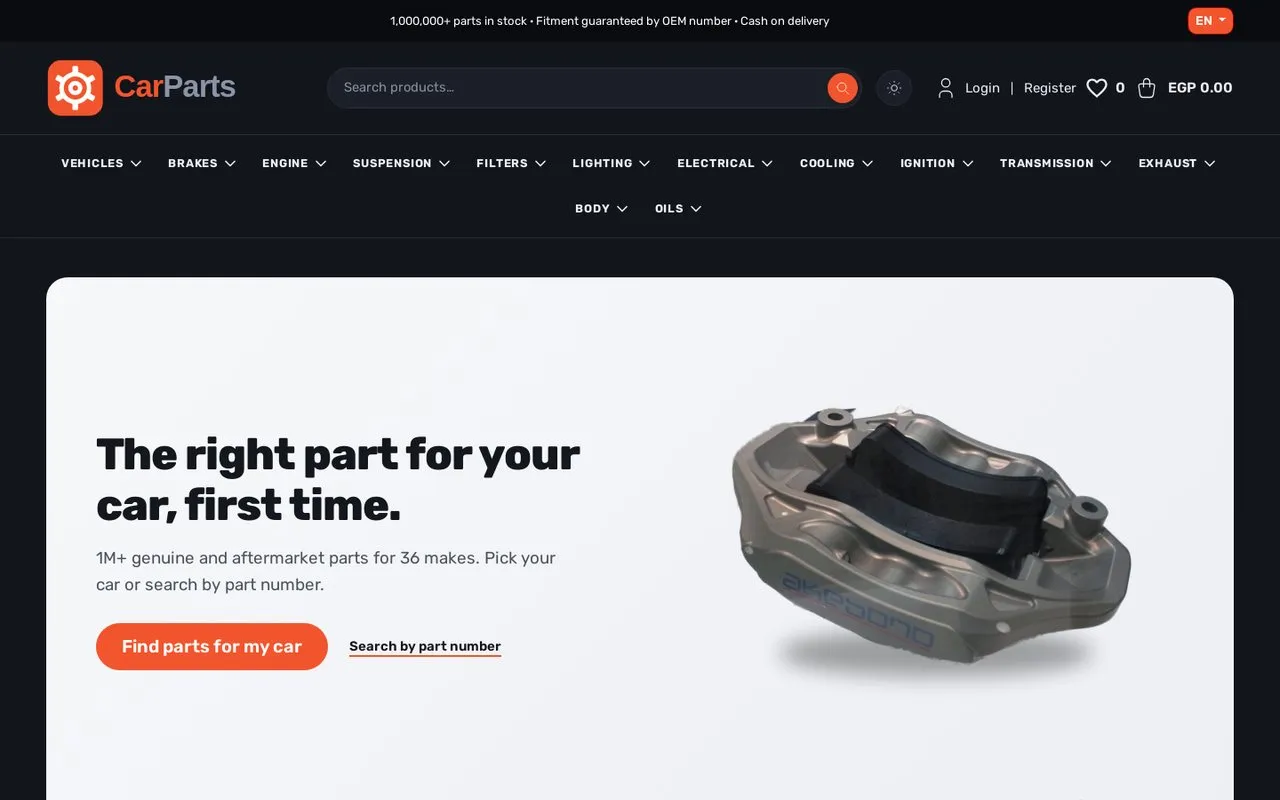
Open the CarParts demo store →
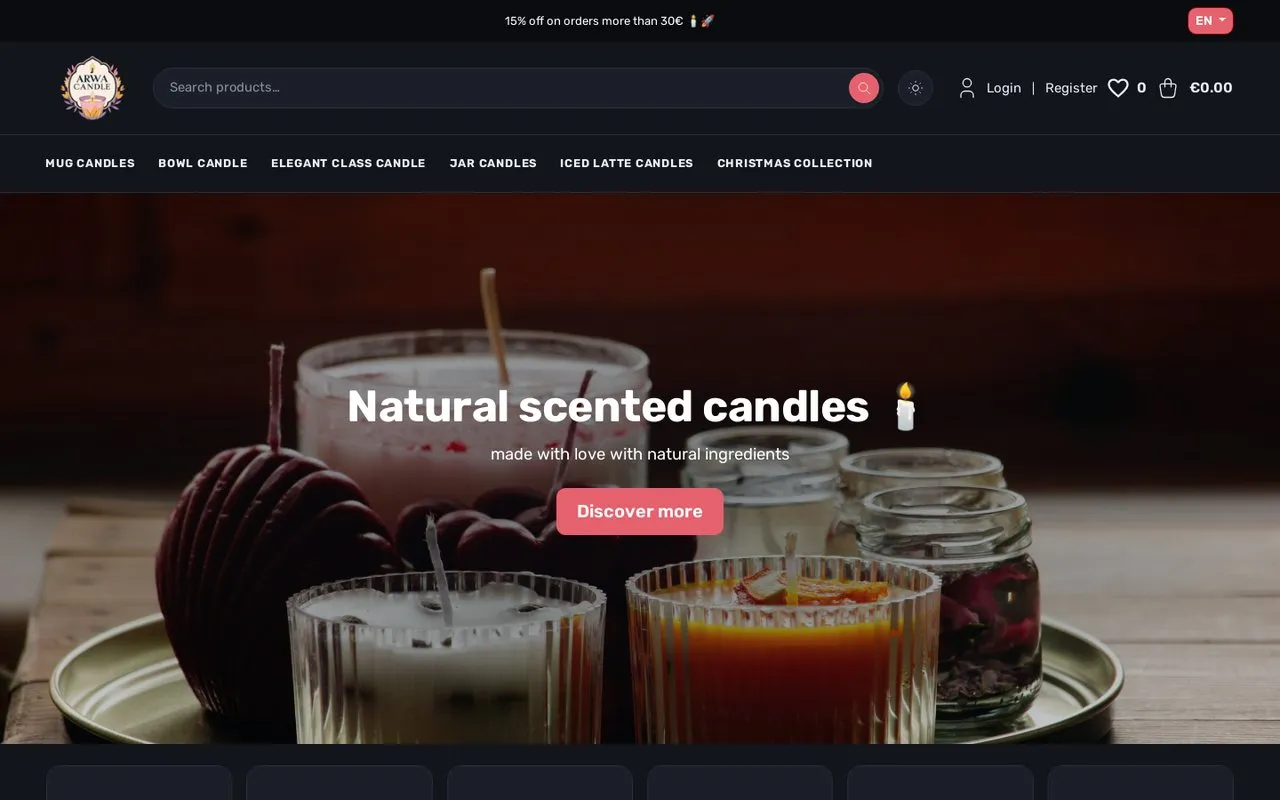
7. Velo
Best for: Fashion, gifts and lifestyle products: candles, decor, anything the photo sells.
- A wide, image-led layout.
- A hero that can be a photo or a video, plus a scrolling announcement banner.
- Each store (channel) can use a different theme if you run more than one.
8. Classic
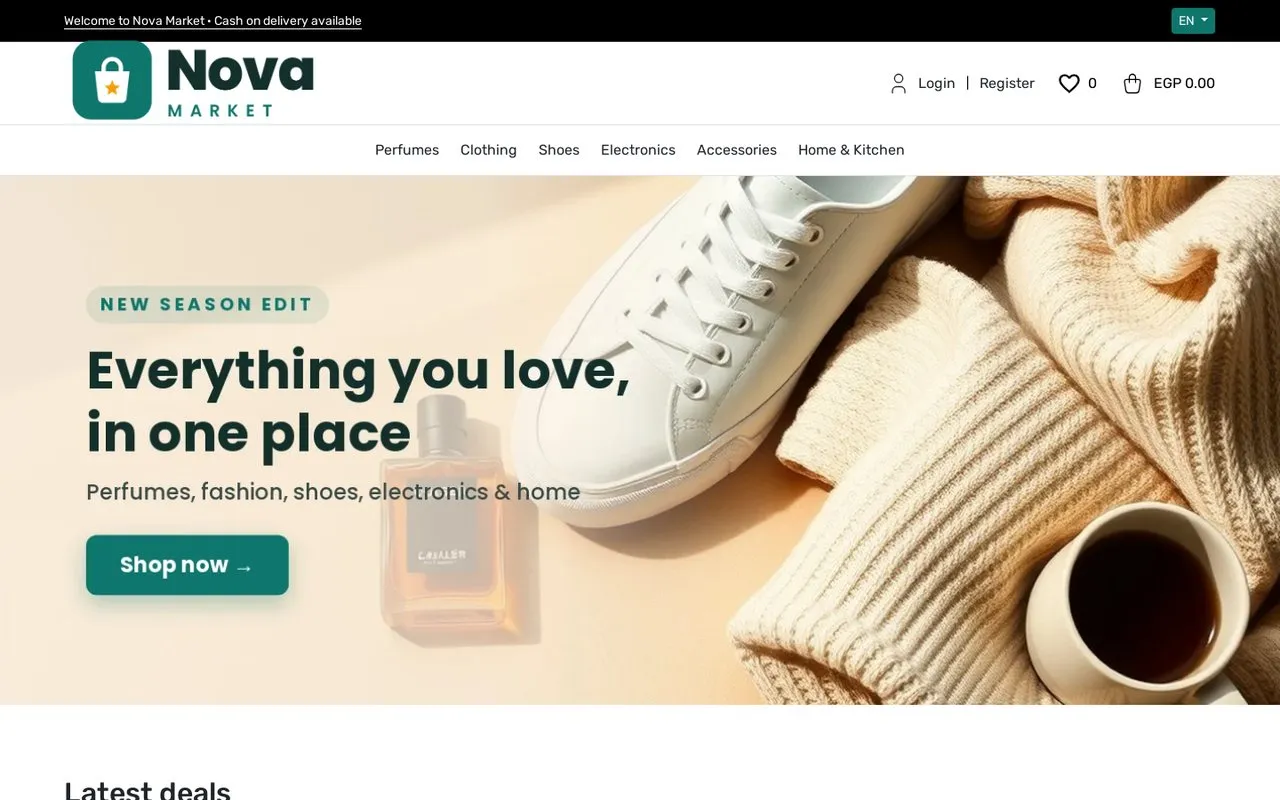
Best for: If you’re just starting and want a simple, clear store today, and to switch themes later.
- A clean, fast storefront.
- A main banner and a “new collection” grid with your photos.
- Fits any kind of product.
How to change your store’s theme
- Open your store’s admin.
- Go to Channels and edit your store’s channel.
- In the Theme section you’ll see a card with a preview for every theme. Click the preview to open its demo store.
- Pick a theme and click Save. Your storefront changes right away.
- Most themes have a page under Settings for their banners, texts and images; Rack builds itself from your products and photos.
FAQ
Do the themes cost extra?
No. All 8 themes are available on every plan, including the free one.
If I switch themes, do my products and orders change?
No. A theme only changes how the store looks. Your products, categories, orders and customers stay as they are, and you can switch back any time.
Do the themes support Arabic?
Yes. Every theme works in Arabic and English, flips right-to-left correctly in Arabic, and is built for mobile.
Can I change the theme colours?
Yes. The brand colour you set in Settings is applied to buttons and key elements, and button text picks white or dark automatically so it stays readable.
I want a theme made just for my brand.
A custom theme is available on the Galaxy and Enterprise plans.